To use an IPTV player on Android TV or Google TV, install a player from Google Play on the TV, then add a playlist with an M3U link, an Xtream Codes login, or a file. Typing a long playlist URL with a remote is slow and error-prone, so this guide shows the faster way: a QR code that sends the link from your phone. We also compare five IPTV players and explain the remote controls, legal limits and the usual fixes.
Key Takeaways
- Google said in May 2026 that 300 million Google TV and Android TV devices are active worldwide, up from 270 million in September 2024 (9to5Google).
- You do not need to sideload anything. A TV install from Google Play takes about a minute, and a phone can send your playlist to the TV through a QR code.
- Choose by need: TiviMate for a full program guide and recording, IPTV Player & Live TV for a light, free, ad-free player with a built-in free channel list, and IPTV Smarters Pro for several platforms.
Quick pick
- Free, ad-free, easy setup from your phone: IPTV Player & Live TV - Install free on Google Play
- Best guide (EPG) and recording on a TV box: TiviMate
- Same app on Android, iOS and Windows: IPTV Smarters Pro
Why Android TV and Google TV are a good place for IPTV
Google reported 300 million active Google TV and Android TV devices at Google I/O in May 2026, according to 9to5Google's coverage. That is up from 270 million in September 2024 and 150 million in 2023, although the same article notes that growth has slowed. Those TVs, streaming boxes and sticks run apps from the same Google Play Store as your phone, which is why a normal IPTV player installs with no tricks.
Platform share explains why this audience is worth serving. In the US, Hub Research data reported by Android Headlines in July 2026 puts Google TV (including Android TV) at 14% of streaming platforms, third after Roku at 37% and Amazon Fire TV at 17%. Samsung Tizen and Apple tvOS each hold 8%, and LG webOS 5%. Globally, TechInsights data for Q4 2024 put Android and Google TV at over 24% of smart TV shipments, ahead of Samsung Tizen at 16.9%, LG webOS at 11.8% and Roku at 9%.
Time on the big screen keeps growing too. Streaming reached 48.6% of all US TV viewing in May 2026, ahead of cable at 20.4% and broadcast at 19.2%, per Nielsen's The Gauge. If you watch live channels on the living-room TV, an app built for a remote beats a phone cast.
What an IPTV player does (and does not do) on Android TV
An IPTV player plays streams from a playlist you give it. It does not ship TV channels from a paid IPTV provider, and it does not decide what is legal to watch. New to the technology? Our explainer on what IPTV is and how it works covers the basics.
Three playlist types matter on a TV:
- M3U or M3U8 link: a web address of a plain-text channel list. Most free lists use this.
- Xtream Codes login: server address, username and password from your IPTV provider or service. The app downloads the channel list itself.
- Local file: an M3U file stored on the device.
For the differences between playlist formats and video codecs, see our guide to IPTV formats and codecs.
What you need before you start
- A TV, box or stick running Android TV or Google TV. For IPTV Player & Live TV that means Android 8.0 or newer.
- A Google account signed in on the TV, so Google Play works.
- A playlist: your own M3U link or Xtream login, or the free Open World TV list built into the app.
- A phone on the same Wi-Fi network, if you want the QR shortcut.
- Time: about 5 minutes. Difficulty: beginner.
How to set up IPTV on Android TV, step by step
These steps use IPTV Player & Live TV, because we know exactly how its TV screens behave. Other players follow the same pattern: install, add a playlist, pick a channel.
Step 1: Install the player from Google Play
On the TV, open Google Play, search for IPTV Player & Live TV and press Install. You can also open the listing on your phone or computer, choose your TV from the device list and send the install to it. After installing, the app shows up on the TV home screen with its own banner, because it declares the Android TV launcher category.
Install from the official store, not from a downloaded APK. APK files from unknown sites can carry adware or worse, which is why we recommend Google Play on every device.
Step 2: Add a playlist from your phone with a QR code
Open the app and choose Add Playlist. On a TV it opens on the Phone tab, which shows a QR code. Scan it with your phone camera and a small web page opens on your phone. Paste a link, enter your Xtream login or pick an M3U file, and the list appears on the TV right away.
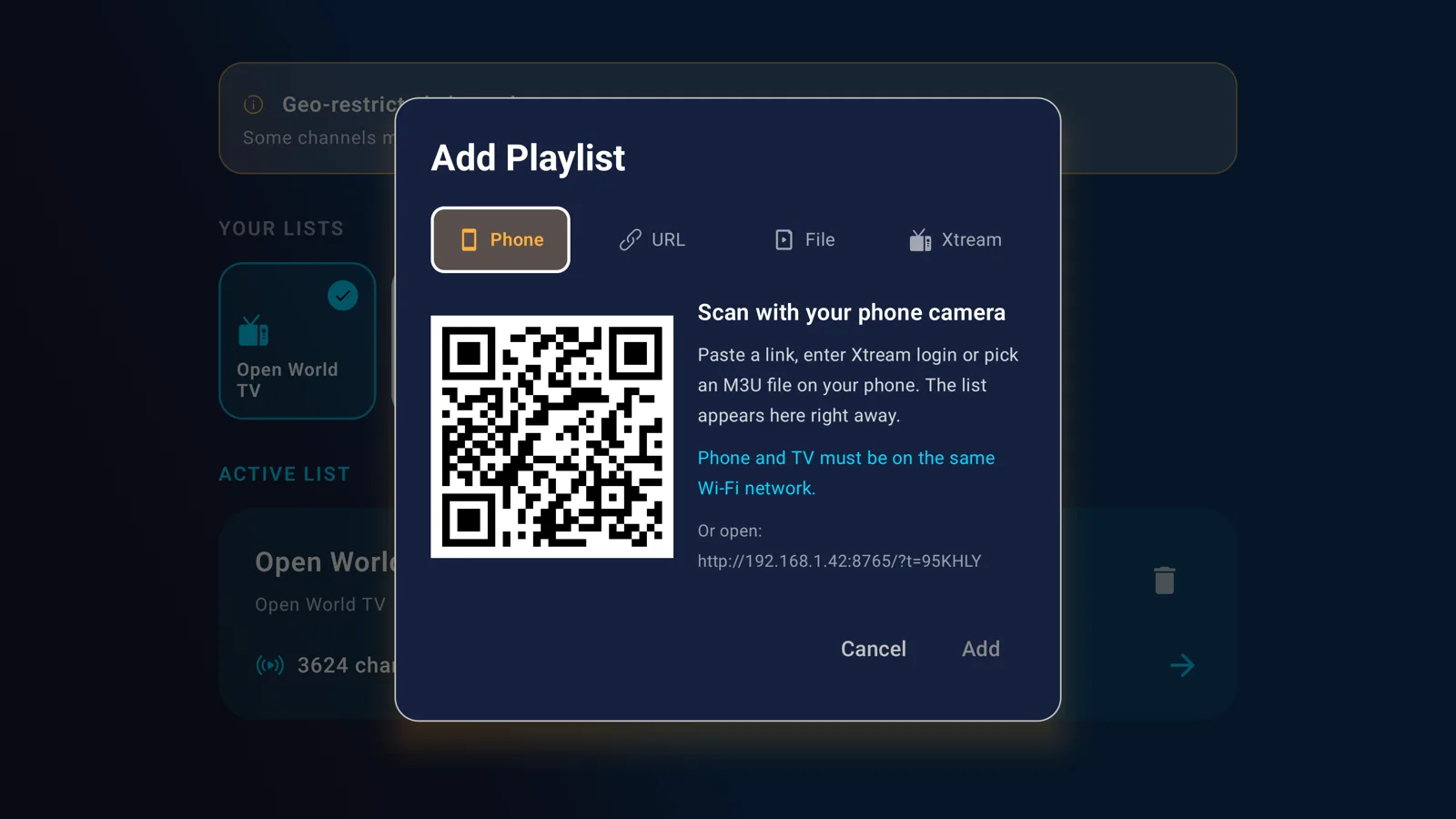
How it works: while the Phone tab is open, the app runs a small web server on the TV, reachable on your local network. The QR code points to it with a short six-character code, and the server stops when you close the dialog. The TV and the phone must be on the same Wi-Fi network. If the camera does not open the link, type the address printed under the QR code into any phone browser.
The same dialog also has URL, File and Xtream tabs, in case you prefer to enter details with the remote or a USB keyboard. If the phone form says the link is invalid or the file is not an M3U playlist, it tells you before anything reaches the TV.
Step 3: Or start with the free Open World TV list
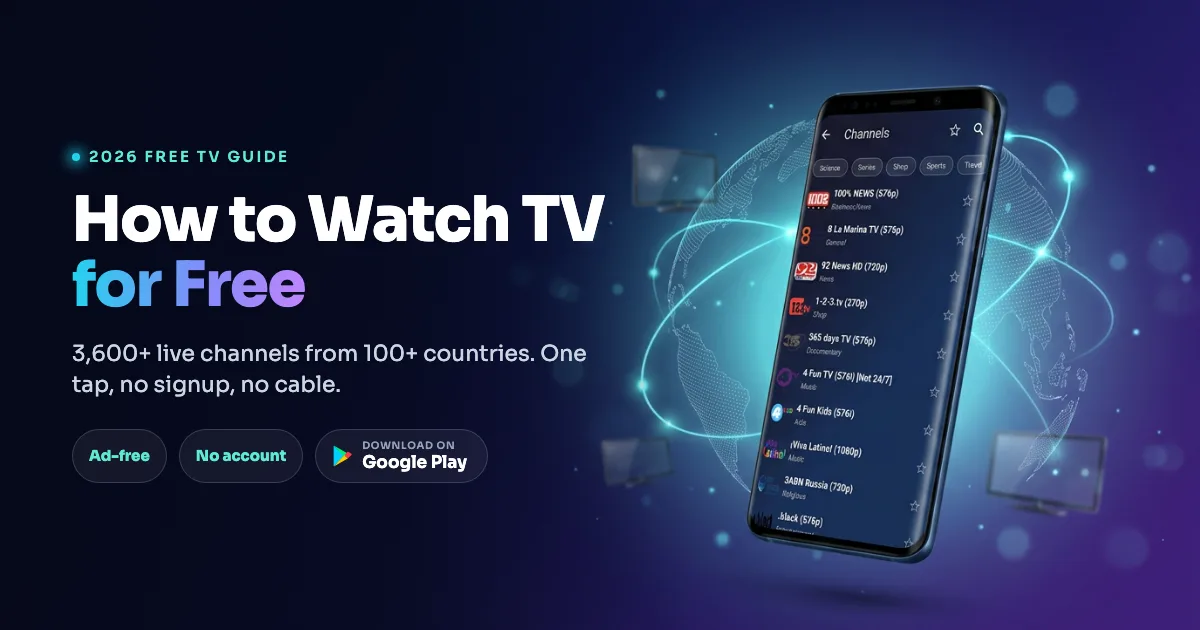
No playlist yet? The app ships with Open World TV, a list of publicly available, legal free-to-air channels. In our October 2026 count it held 3,624 channels. Select it from the home screen and you can watch without any account. Some channels are geo-blocked outside their home country, and the app marks them in the list so you know before you press play. For more on this list, read how to watch TV for free in 2026.
Step 4: Pick a channel and use the remote
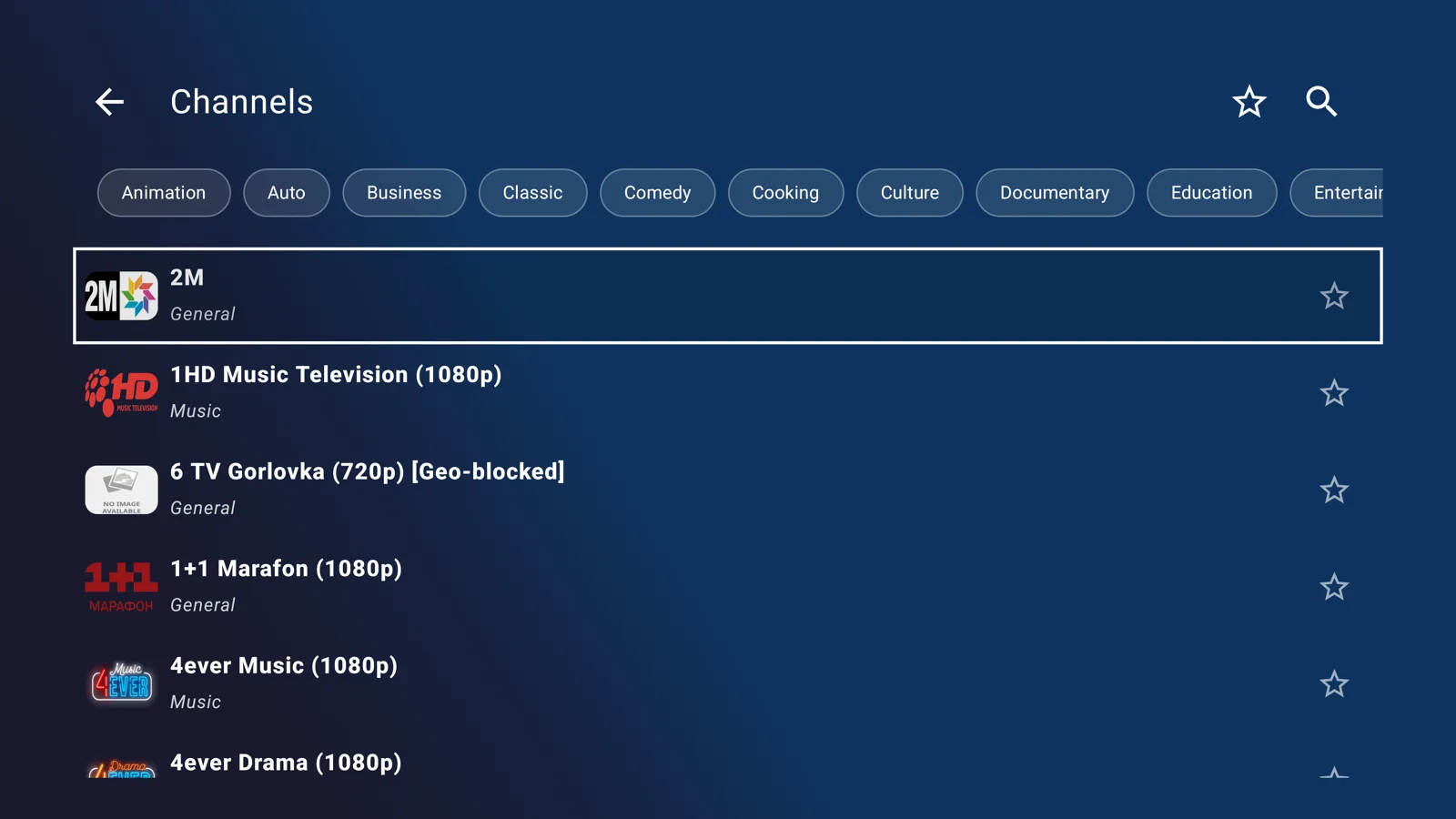
Move with the arrow keys and press OK to play. Use the category chips at the top to filter a large list, the star to save favorites, and the search icon when you know the channel name. In our experience a list with thousands of channels is only pleasant if filtering and search are fast, so check that before you commit to any player.
Remote control cheat sheet for the player
Android TV remotes vary, but every one has a D-pad (arrows and OK) and Back. These are the actions in IPTV Player & Live TV release 3.03, taken from our own test checklist:
| Remote button | What it does in the player |
|---|---|
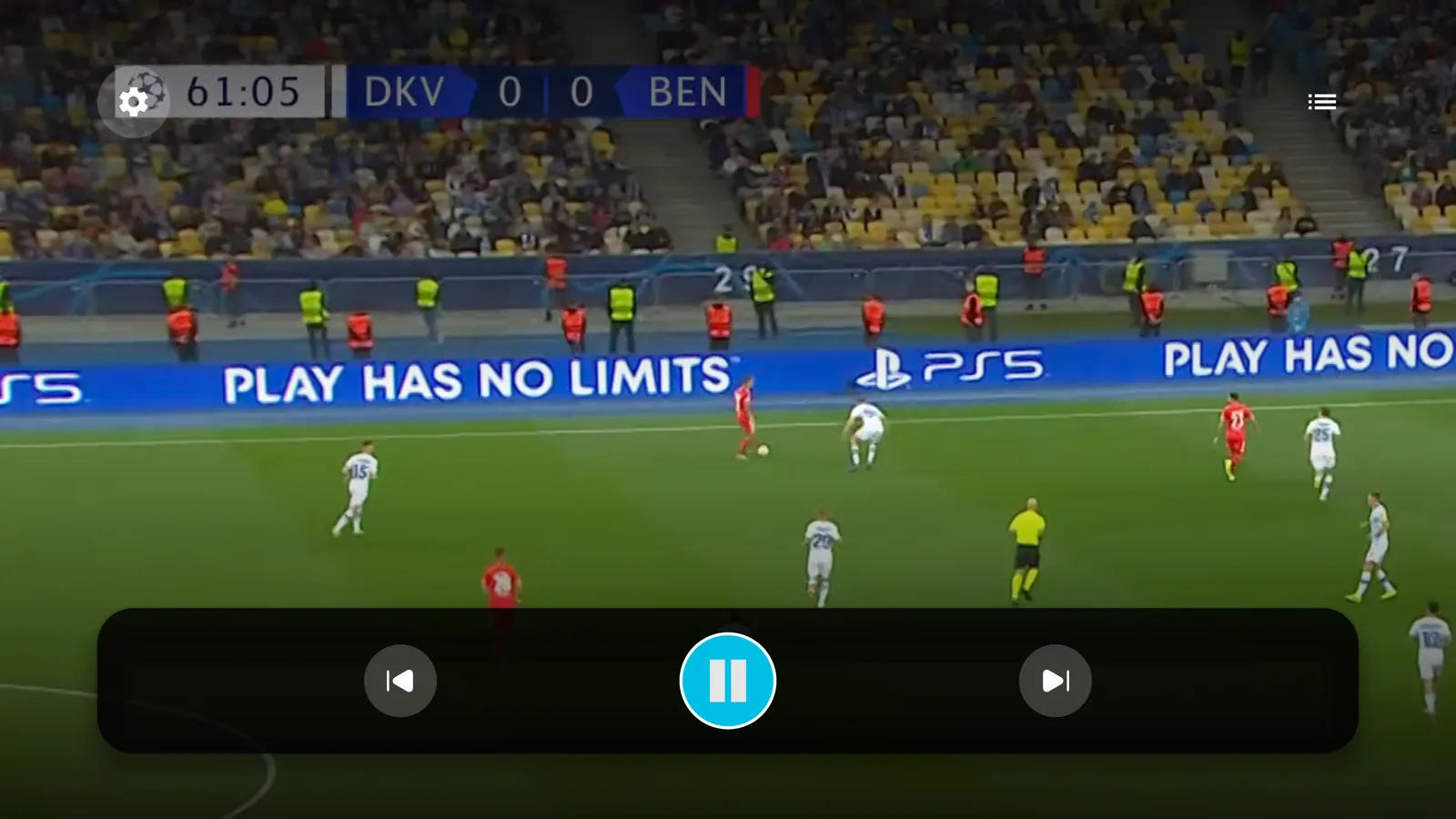
| Up, Down or OK | Shows the playback controls (focus lands on Play/Pause) |
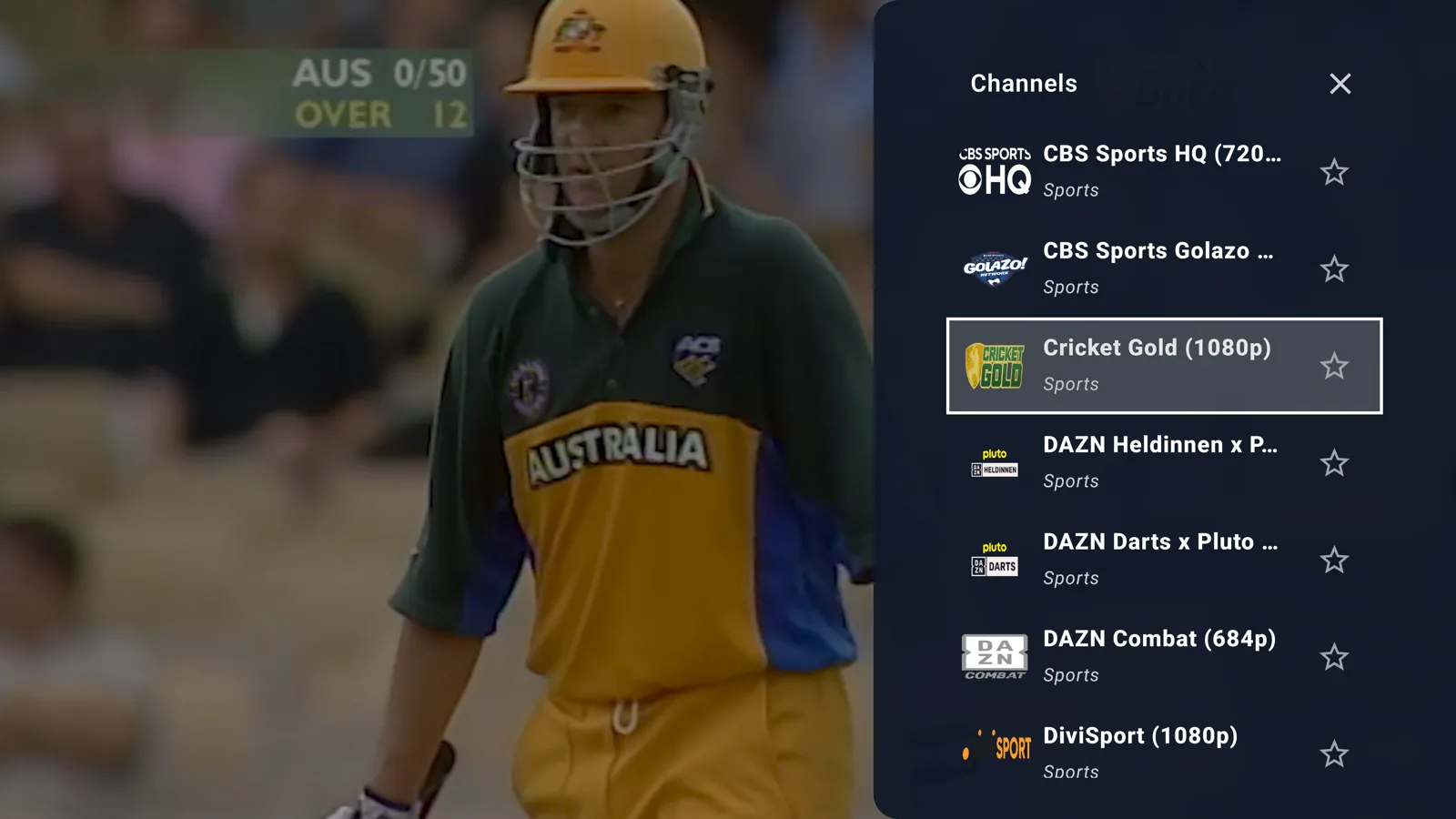
| Right | Opens the channel list, focused on the channel you are watching |
| CH+ / CH- | Next or previous channel, if your remote has the keys |
| Back | Closes the list first, then hides the controls, then leaves the player |
| Home | Pauses the video and returns to the TV home screen |
To delete a playlist, move to its card on the home screen, press Right, then OK. The confirmation dialog starts on Cancel, so an accidental double press does not remove anything. The player has no rotate, fit or volume buttons on a TV, because the remote and the TV already handle those.
5 IPTV players for Android TV compared
These IPTV apps all install from Google Play on Android TV. How we compared them: we describe IPTV Player & Live TV release 3.03 from our own code and our Android TV test checklist. We did not test the other four apps. Their descriptions come from the sources linked below, so check each app's Google Play listing for current pricing and features before you install.
| App | Runs on | Known for | Program guide (EPG) | Recording |
|---|---|---|---|---|
| IPTV Player & Live TV | Android phone, tablet, Android TV | Light, ad-free player, QR playlist transfer, free Open World TV list | No | No |
| TiviMate | Android TV | Guide and recording (HungaryIPTV) | Yes (HungaryIPTV) | Yes (HungaryIPTV) |
| IPTV Smarters Pro | Android, iOS, Windows | Same app on several platforms, Xtream Codes (TroyPoint) | Not checked | Not checked |
| OTT Navigator | Android | Configuration options (not tested by us) | Not checked | Not checked |
| Perfect Player | Android | Simple, lightweight live grid (not tested by us) | Not checked | Not checked |
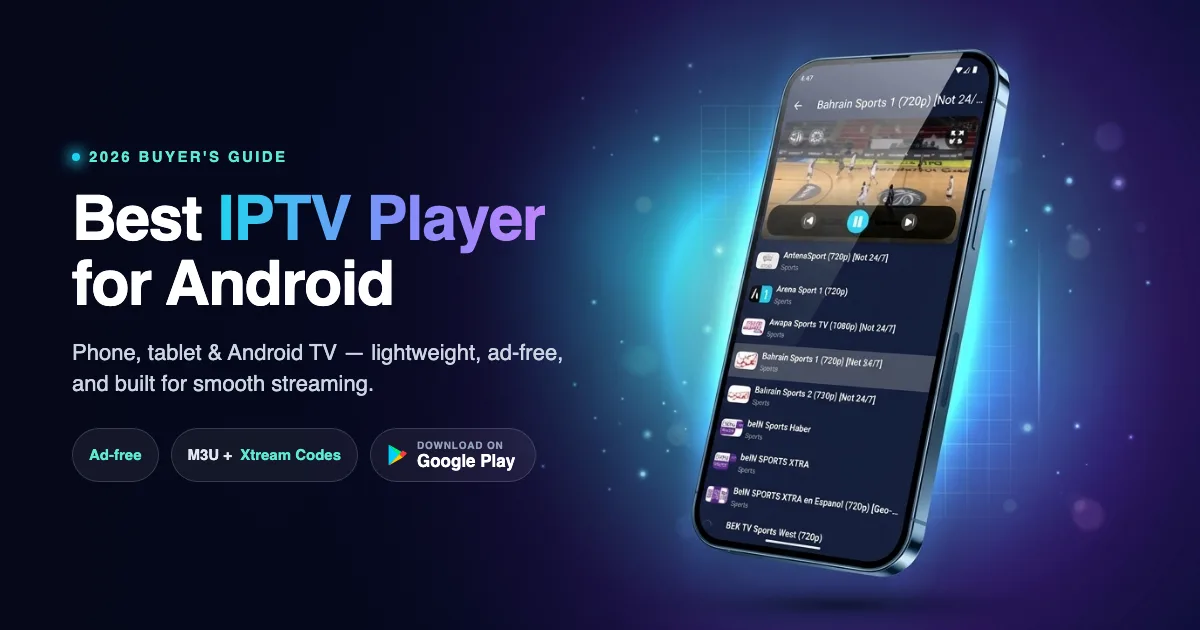
1. IPTV Player & Live TV: a light, free player with easy setup
It is free and ad-free, runs on phone, tablet and TV from one listing, and was built to be driven with a remote from the first screen. The QR shortcut removes the slowest part of TV setup, and the built-in Open World TV list gives you something to watch before you own a playlist. It reads M3U, M3U8, W3U, XSPF, JSON and Xtream Codes, and keeps multiple playlists you can switch between. Free M3U playlists and paid Xtream logins can sit side by side.
The player includes five buffering modes (Low Latency, Balanced, High Quality, Poor Network and Unstable Network) so you can trade start-up speed for stability on weak Wi-Fi. The trade-off is scope. There is no EPG and no recording in the app today. If a program grid is what you want, look at TiviMate. Install it free on Google Play.
2. TiviMate: guide and recording on a TV box
TiviMate is widely regarded as a top IPTV player for Android TV, thanks to its guide, 4K H.265 hardware decoding and built-in DVR, according to HungaryIPTV. That source describes recording and multi-screen as Premium features. Pricing and free-tier limits differ between reviews, so confirm them in the Google Play listing. If your main need is a good guide and recordings, this is the app to try.
3. IPTV Smarters Pro: one app on several platforms
IPTV Smarters Pro works across Android, iOS and Windows with native Xtream Codes support and clear Live TV, Movies and Series sections, according to TroyPoint. Familiarity across devices is its main strength.
4. OTT Navigator: configuration options
OTT Navigator is usually described as a highly configurable Android player. We did not test it, so we cannot say how it behaves with a remote. Read its Google Play listing for the current feature list.
5. Perfect Player: a simple live grid
Perfect Player is an older, no-frills player that reviewers often call lightweight. We did not test it either. For a wider look that includes phones and tablets, see our comparison of the best IPTV players for Android.
How to fix the most common IPTV problems on a TV
Video buffers or stutters
Start with your internet connection. Use Ethernet if the TV has a port, or 5 GHz Wi-Fi close to the router, and avoid a TV hidden behind a cabinet. Then change the app setting: in IPTV Player & Live TV, open the settings button in the player controls, choose Buffer Mode, and move from Balanced (about 50 seconds of buffer) to High Quality (about 75 seconds) or Poor Network (about 120 seconds). The Low Latency mode (about 15 seconds) changes channels faster but rebuffers more on slow connections. For deeper tuning, read how to optimize IPTV streaming quality.
A channel will not play
Free-to-air streams are published by broadcasters, and some limit them to one country. In the app, such entries carry a Geo-blocked tag. Others are marked Not 24/7 because they are off air part of the day. In our October 2026 count, about 6% of the 3,624 Open World TV channels (221) carried the Not 24/7 marker. Try another channel in the same category, or retry later.
The playlist is empty or will not load
Check that the link opens in a browser and ends in a playlist (often .m3u or .m3u8), or re-enter the Xtream details. Expired links are the most common cause. Re-sending the playlist through the Phone tab is faster than typing it again with a remote.
You expected a TV guide
A program guide (EPG) comes from a separate data source, usually an XMLTV file or your Xtream provider. Apps such as TiviMate are built around it. IPTV Player & Live TV does not show one, so choose a different app if the grid is essential for you.
Is it legal and safe to use IPTV on Android TV?
An IPTV player is legal software, like any other media player. What matters is the content you load. A licensed IPTV service is legal, and so are free streams that broadcasters publish openly, such as the Open World TV list. Pirated subscriptions are not, and that responsibility sits with the provider and the viewer, not with the player. IPTV Player & Live TV does not sell channels or subscriptions.
For safety, install from Google Play, avoid APK download sites, and do not enter card details into any "lifetime IPTV" offer. On a TV a bad app can see a lot, because many people stay signed in to their Google account there.
Which IPTV player should you choose for your TV?
If you want a free, light player that sets up in minutes, adds playlists from your phone and comes with free channels, choose IPTV Player & Live TV. If you live in the program guide and want recordings, choose TiviMate. If you switch between Android, iOS and Windows, choose IPTV Smarters Pro. Start with one, add a second only when you miss something.
When you are ready, install IPTV Player & Live TV from Google Play and add your first playlist with the QR code.
Frequently asked questions
Does IPTV work on Android TV and Google TV?
Yes. Android TV and Google TV run Google Play, so you install an IPTV player like any other app and add an M3U link, an Xtream Codes login or a file. The player needs a playlist from you or a built-in free list.
What is the best IPTV player for Android TV?
It depends on what you need. According to HungaryIPTV, TiviMate is strong on the program guide and recording. IPTV Player & Live TV is a free, ad-free, lightweight option with a QR phone-to-TV setup and a built-in free channel list. IPTV Smarters Pro runs on several platforms.
How do I add an M3U playlist to Android TV without typing?
In IPTV Player & Live TV, open Add Playlist on the TV and scan the QR code on the Phone tab with your phone camera. Paste your M3U link, enter an Xtream login or choose a file on the phone, and the playlist appears on the TV. Both devices must be on the same Wi-Fi network.
Is there a free IPTV app for Android TV?
Yes. IPTV Player & Live TV is free and has no ads, and it includes Open World TV, a list of publicly available free-to-air channels (3,624 in our October 2026 count) that needs no account. TiviMate and several others also have free tiers.
Does IPTV Player & Live TV have a TV guide (EPG) or recording?
No. The app plays live streams and does not show a program guide or record. If you need those, use a player built around them, such as TiviMate.
Will the app work on Samsung or LG TVs?
No. It targets Android TV and Google TV through Google Play, which includes devices such as Chromecast with Google TV and TVs that run Google TV. Samsung (Tizen) and LG (webOS) are not Android, so Android apps do not run on them.
Do I need an IPTV subscription to use the app?
No. The app does not require a subscription or an account. You can watch the free Open World TV list, or add your own playlist from a provider you are licensed to use.
Is it legal to use an IPTV app on Android TV?
Yes. The app is legal software. Watching licensed services and free streams that broadcasters publish is legal. Using pirated paid channels is not, regardless of the player you choose.
Sources
- 9to5Google, "Google TV hits 300 million active devices as growth stalls," May 21, 2026, retrieved 2026-10-09, https://9to5google.com/2026/05/21/google-tv-hits-300-million-active-devices-as-growth-stalls/
- Nielsen, "Streaming embarks on annual summer ascent in Nielsen's May 2026 Gauge," July 28, 2026, retrieved 2026-10-09, https://www.nielsen.com/news-center/2026/streaming-embarks-on-annual-summer-ascent-in-nielsens-may-2026-gauge-reports/
- Android Headlines, "Google TV ranks as the third largest streaming OS in the US" (Hub Research data), July 29, 2026, retrieved 2026-10-09, https://www.androidheadlines.com/2026/07/google-tv-ranks-as-the-third-largest-streaming-os-in-the-us.html
- HungaryIPTV, "Best IPTV player," retrieved 2026-10-09, https://hungaryiptv.net/en/blog/best-iptv-player
- TroyPoint, "Top IPTV players," retrieved 2026-10-09, https://troypoint.com/top-iptv-players/
- The Level Up, internal Android TV test checklist and source code for IPTV Player & Live TV release 3.03 (remote keys, Phone tab transfer, buffering modes, supported playlist formats), October 2026
- TechInsights, "Smart TV Vendor and OS Market Share: Q4 2024 by Country," retrieved 2026-10-09, https://techinsights.com/ja/node/59348
- The Level Up, count of entries in the Open World TV playlist (https://iptv.thelevelupteam.org/channels/iptv.m3u): 3,624 entries, 221 with "Not 24/7" in the name (about 6%) and 29 marked "Geo-blocked", counted October 9, 2026 (first counted September 22, 2026)