IPTV (Internet Protocol Television) is television delivered as digital data over an internet connection, instead of through a traditional antenna, cable network or satellite dish. You can watch live channels, recorded shows and movies on a smart TV, a TV box, a phone or a computer. This guide explains what IPTV is, how it works, how it differs from cable and streaming apps, and what you need to start watching.
Key Takeaways
- IPTV sends TV as internet data. A player app or a set-top box turns that data back into picture and sound.
- The word is used for two things: TV services run by internet providers on their own network, and apps that play channel lists (playlists) over the open internet.
- To watch, you need a stable internet connection, a device, a player and a source of channels. The technology is legal; the source decides whether what you watch is.
Quick answers
- Stands for: Internet Protocol Television.
- Needs: internet, a device, a player app or box, and a channel source.
- Legal? Yes as technology. See is IPTV legal? for the details.
What does IPTV stand for?
IPTV stands for Internet Protocol Television. "Internet Protocol" (IP) is the set of rules that moves data across the internet and home networks. IPTV uses it to carry TV channels and videos as small packets of data, the same way a web page or an email travels.
The term has two common meanings today:
- Operator IPTV: a TV service from an internet or phone company, delivered over its own managed network to a set-top box. According to Wikipedia's IPTV article, this kind of IPTV is usually sold and run by a telecom provider, often bundled with internet and phone service.
- App-based IPTV: a player app that plays a list of channels over the open internet. The list comes as an M3U playlist or an Xtream Codes login from a service, or as a free list of public channels.
When people search for an "IPTV app" or "IPTV player", they almost always mean the second kind.
How does IPTV work?
Every IPTV setup follows the same three steps, whether it runs on a telecom network or over the open internet.
- Encoding at the source. A provider receives TV channels and compresses them with video and audio codecs such as H.264 or HEVC and AAC, so they fit through an internet connection.
- Delivery over an IP network. On operator networks, live channels are typically sent by multicast (one stream shared by many viewers) and on-demand videos by unicast (one stream per viewer), as Wikipedia describes. Over the open internet, players usually receive streams as MPEG-TS or HLS (.m3u8), fetched like any other web content.
- Playback. A set-top box or a player app on your TV, phone or computer receives the data, decodes it and shows the picture.
The technical side, from M3U8 playlists to codecs, is explained in our guide to IPTV formats and codecs.
Types of IPTV content
- Live TV: channels as they broadcast, such as news, sports and entertainment.
- Video on demand (VOD): movies and series you start whenever you want.
- Time-shifted TV: catch-up and start-over, where the provider keeps recent shows so you can watch them later. Availability depends on the service and the player.
Common IPTV features
What you get depends on the service and the player, but IPTV services commonly offer:
- Video content on many devices: access the same channels on a TV, phone, tablet or computer.
- Pause, rewind and catch-up: where the service supports time-shifted TV.
- On-screen program guide (EPG): what is on now and next, if the service provides guide data and the player shows it.
- On-demand libraries: movies and series next to live channels.
- Channels from many countries: depending on the services and lists you use.
IPTV vs cable, satellite and streaming apps
| IPTV | Cable | Satellite | Streaming apps (OTT) | |
|---|---|---|---|---|
| How it arrives | IP data over a managed network or the internet | Coaxial or fiber cable network | Dish and satellite signal | Open internet |
| Equipment | Set-top box or player app | Cable box | Dish and receiver | App on a TV or device |
| Live channels | Yes | Yes | Yes | Some services |
| Watch on phones and TVs | Yes, with an app | Mostly TV | Mostly TV | Yes |
| Depends on internet quality | Yes | No | No | Yes |
The line between IPTV and streaming apps is blurry. Technically, OTT streaming travels over the public internet while operator IPTV runs on a managed network, but both deliver TV as IP data, and in everyday speech "IPTV" often covers both. The shift is large: streaming reached 48.6% of all US TV viewing in May 2026, ahead of cable at 20.4% and broadcast at 19.2%, according to Nielsen's The Gauge.
What do you need to watch IPTV?
- A stable internet connection. As a baseline, Netflix recommends about 3 Mbps for HD, 5 Mbps for Full HD and 15 Mbps for 4K per stream (Netflix Help Center). Live IPTV streams can need more, and a wired connection helps.
- A device: a smart TV, an Android TV or Google TV box, a phone, a tablet or a computer.
- A player: the operator's set-top box, or an IPTV player app for app-based IPTV.
- A source of channels: a licensed service, broadcasters' own free streams, or a list of publicly available free-to-air channels.
On Android TV and Google TV, our Android TV setup guide walks through the setup step by step. If streams stutter, see how to fix IPTV buffering.
Is IPTV legal?
Yes, IPTV as a technology is legal; it is how many internet providers deliver TV. Whether a specific service is legal depends on whether it holds the rights to the channels it offers. Cheap subscriptions with thousands of premium channels usually do not. Our guide Is IPTV legal? explains how to tell a licensed service from an unlicensed one.
Pros and cons of IPTV
| Pros | Cons |
|---|---|
| Watch on many devices, not only the TV | Quality depends on your internet connection |
| Live TV, on-demand and catch-up in one place | Buffering on weak Wi-Fi or busy servers |
| No dish or cable installation | Legality depends on the source you choose |
| Channels from many countries | Some streams are geo-blocked outside their country |
How to start watching IPTV on Android
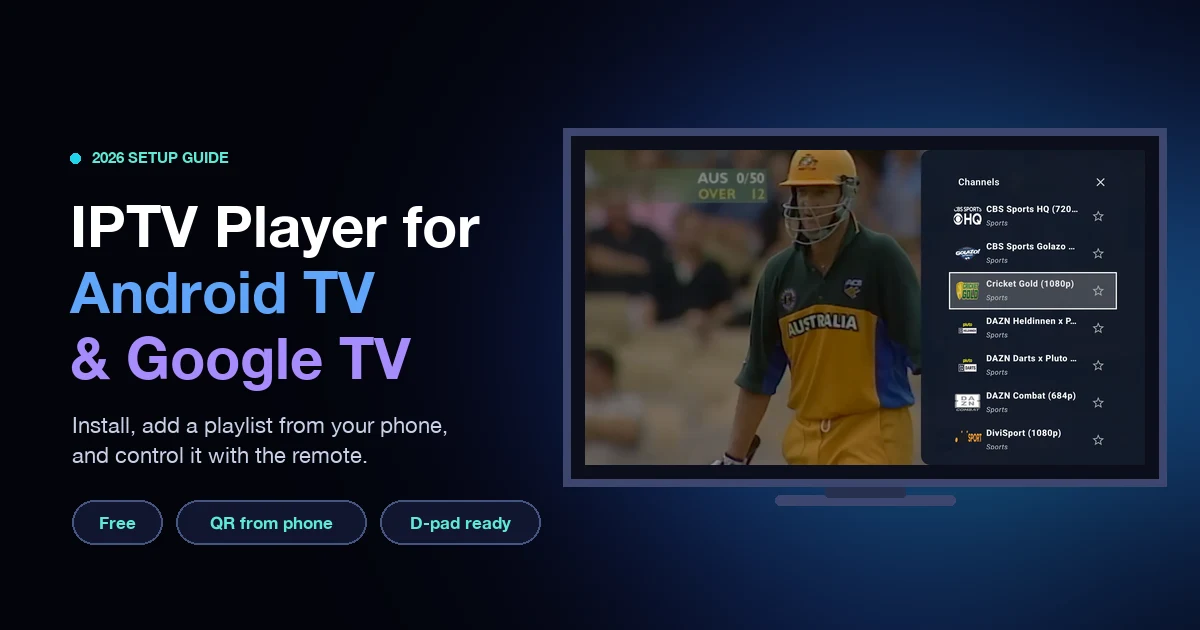
For app-based IPTV, a player app is all you need on an Android phone, tablet or Android TV. IPTV Player & Live TV is a free player that reads M3U, M3U8, W3U, XSPF, JSON and Xtream Codes playlists. On a TV you can send your playlist from your phone with a QR code, and if you have no playlist yet, the built-in Open World TV list gives you publicly available free-to-air channels to start with. The app does not have a program guide (EPG) or recording, which our EPG explainer covers.
To compare players first, see the best IPTV players for Android, or read how to watch TV for free. When you are ready, install IPTV Player & Live TV from Google Play.
Frequently asked questions
What is IPTV in simple words?
IPTV is TV that comes through your internet connection instead of an antenna, cable or satellite. A player app or box turns the data into channels on your screen.
What is IPTV and how do I get it?
IPTV is television over the internet. To get it, you need an internet connection, a device such as a smart TV or phone, a player app or box, and a channel source: a licensed service, broadcasters' free streams or a list of free-to-air channels.
How does IPTV work?
A provider encodes TV channels, sends them as data packets over an IP network, and your player or set-top box decodes them back into picture and sound.
Is IPTV the same as streaming?
Not exactly. Operator IPTV runs on an internet provider's own managed network, while streaming apps use the open internet. In everyday use, "IPTV" often means watching TV channels over the internet with a player app.
Do I need a box for IPTV?
Not always. Operator IPTV usually comes with a set-top box, but app-based IPTV works with a player app on a smart TV, Android TV box, phone, tablet or computer.
Is IPTV free?
The technology is free to use, and some player apps are free. Channels depend on the source: some are free, such as broadcasters' own streams and free-to-air lists, while premium channels need a licensed paid service.
Is IPTV legal?
Yes, IPTV technology is legal. A service is legal if it has the rights to the channels it offers. Unlicensed services that resell premium channels are not.
Sources
- Wikipedia, "Internet Protocol television," retrieved 2026-10-11, https://en.wikipedia.org/wiki/Internet_Protocol_television
- Nielsen, "Streaming embarks on annual summer ascent in Nielsen's May 2026 Gauge," July 28, 2026, retrieved 2026-10-11, https://www.nielsen.com/news-center/2026/streaming-embarks-on-annual-summer-ascent-in-nielsens-may-2026-gauge-reports/
- Netflix Help Center, "Internet connection speed recommendations," retrieved 2026-10-11, https://help.netflix.com/en/node/306